How to Fix Keyword Cannibalization Without Deleting Your Blog Posts
- By Admin
- |
- 0 Comments
Introduction
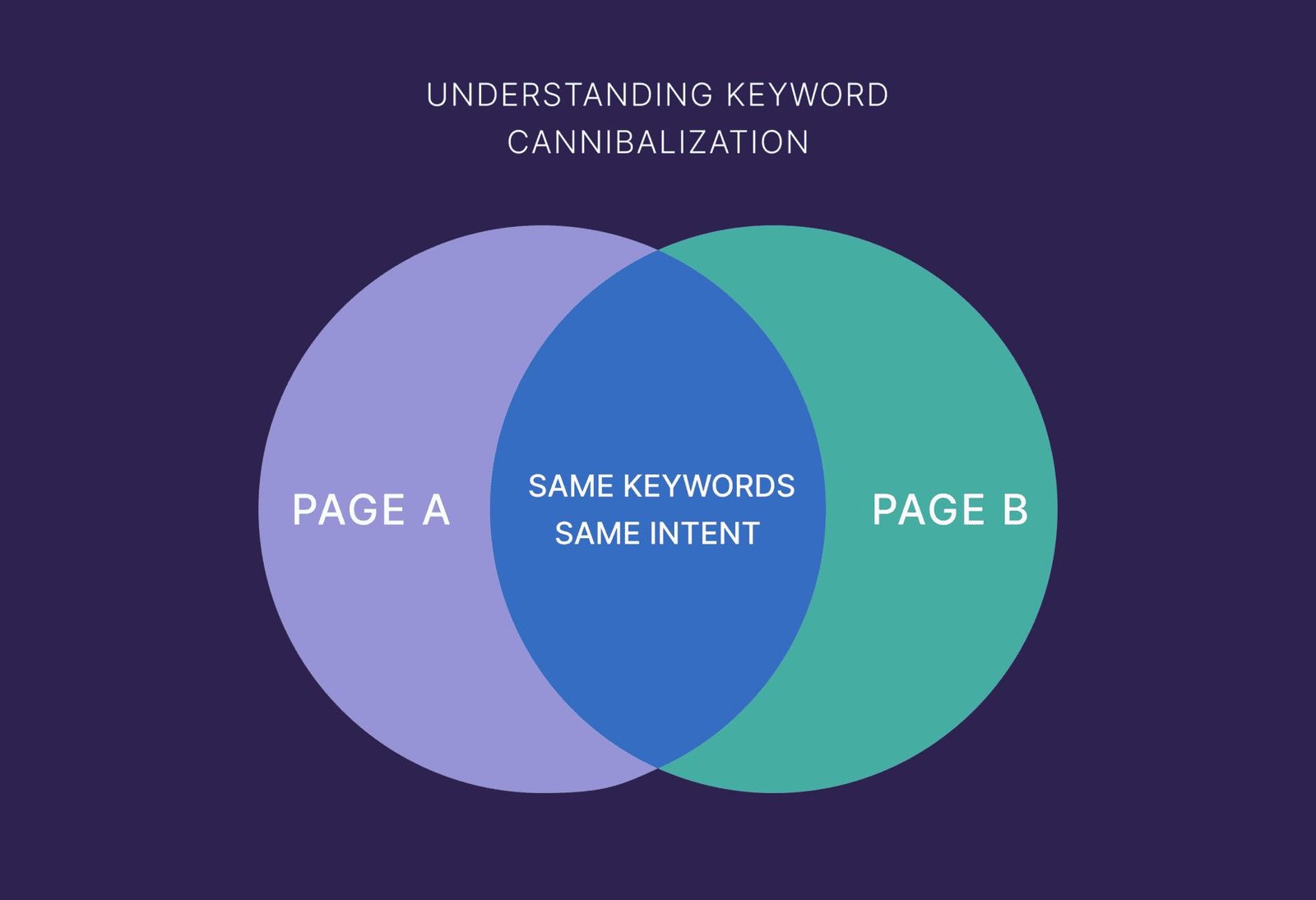
Keyword cannibalization is a common SEO problem that occurs when multiple pages on the same website target the same or very similar keywords and search intent. This can make it difficult for search engines to understand which page should rank for a particular search query.
The good news is that you do not need to delete your existing blog posts to fix keyword cannibalization. With the right SEO strategies, you can improve your content, organize your keywords, and help search engines understand the purpose of each page.
In this guide, you will learn how to identify keyword cannibalization and fix it without losing your valuable blog content.
What Is Keyword Cannibalization?
Keyword cannibalization happens when two or more pages on your website compete for similar search queries.
For example, imagine you have two blog posts:
-
Best SEO Tips for Beginners
-
Top SEO Tips for Beginners
Both posts target almost the same keywords and provide similar information. Search engines may struggle to decide which page is the most relevant result.
This issue can affect your SEO performance if the pages compete with each other instead of serving different user needs.
Why Is Keyword Cannibalization a Problem?
Keyword cannibalization does not always hurt rankings, but it can create problems when multiple pages satisfy the same search intent.
Here are some common issues:
1. Lower Search Rankings: Search engines may have difficulty choosing the most relevant page to show in search results.
2. Divided Backlinks: External websites may link to different pages covering the same topic instead of strengthening one main page.
3. Poor User Experience: Similar articles can confuse readers and make it harder for them to find the information they need.
4. Wasted SEO Efforts: You may spend time optimizing several pages that could perform better with clearer keyword targeting.
How to Fix Keyword Cannibalization Without Deleting Your Blog Posts
1. Identify Pages Competing for the Same Keywords
The first step is to find pages that target similar keywords and search intent.
You can use Google Search Console to check which pages receive impressions and clicks for the same search queries.
Steps to follow:
-
Open Google Search Console.
-
Select your website property.
-
Click on the Performance
-
These topics are related, but each page serves a different purpose.
Choose one primary keyword for each page and use related terms naturally throughout the content. Avoid forcing keywords into every heading or paragraph.
3. Update and Improve Existing Content
You do not have to delete a blog post simply because it overlaps with another page.
Instead, improve each article so it provides unique value.
You can:
-
Add new information and practical examples.
-
Remove repetitive sections.
-
Update outdated facts.
-
Improve headings and content structure.
-
Answer questions that are specific to the page's topic.
For example, if two articles discuss SEO tips, make one focus on beginners and the other focus on advanced SEO strategies.
4. Improve Internal Linking
Internal links help users and search engines discover related pages on your website.
Link relevant articles to each other using descriptive anchor text.
For example, a general SEO guide can link to a detailed article about keyword research.
If one page is your main resource for a topic, link to it from relevant supporting articles where it genuinely helps readers. However, internal links alone will not fix every cannibalization issue.
5. Optimize Your Title Tags and Meta Descriptions
Similar title tags and meta descriptions can make your pages appear too similar in search results.
Write unique titles and descriptions that clearly explain what each page offers.
Example:
Page 1 Title: SEO Tips for Beginners: A Complete Guide
Page 2 Title: Advanced SEO Techniques to Improve Website Performance
Both pages discuss SEO, but their different titles communicate different purposes.
Remember that title tags and meta descriptions should accurately represent the content of each page.
6. Use Canonical Tags When Appropriate
A canonical tag tells search engines which URL you consider the preferred version of substantially duplicate or very similar pages.
For example, if two URLs display nearly identical content, you may use a canonical tag to identify the preferred URL.
However, canonical tags should not be used automatically for every pair of articles targeting similar keywords. If both articles provide distinct and useful information, keeping separate self-referencing canonical tags may be more appropriate.
7. Check Search Intent Before Making Changes
Search intent means understanding what a user wants when searching for a particular keyword.
For example:
-
“What is keyword cannibalization?” — The user wants an explanation.
-
“How to fix keyword cannibalization” — The user wants practical solutions.
-
“Keyword cannibalization tools” — The user wants tools to identify the problem.
These queries are related, but they may need different pages.
Before editing your articles, search for your target keywords and compare the types of results Google displays. If the search intent is different, your pages may be able to rank independently.
8. Monitor Your Results
After making changes, monitor your website's performance.
Use Google Search Console to track:
-
Search impressions.
-
Organic clicks.
-
Average position.
-
Which pages appear for your target queries.
Compare performance before and after your changes. SEO improvements can take time, so avoid making repeated changes based on short-term fluctuations.
Common Mistakes to Avoid
When fixing keyword cannibalization, avoid these mistakes:
-
Deleting blog posts without checking their traffic or backlinks.
-
Adding the same primary keyword to every article.
-
Using canonical tags incorrectly.
-
Changing URLs without setting up appropriate redirects.
-
Making several major SEO changes without monitoring results.
-
Assuming that every keyword overlap is harmful.
The goal is not to eliminate all keyword overlap. It is to ensure that each page has a clear purpose and provides value to readers.
Conclusion
Keyword cannibalization can make it harder for your website pages to perform well in search results, but deleting blog posts is not always necessary.
You can address the problem by identifying competing pages, assigning clear keyword targets, improving existing content, strengthening internal links, optimizing metadata, and checking search intent.
With a well-organized content strategy and regular performance monitoring, you can preserve your valuable blog posts while improving your website's overall SEO.
Frequently Asked Questions (FAQs)
1. Can I fix keyword cannibalization without deleting blog posts?
Yes. You can update existing content, clarify keyword targeting, improve internal linking, and use canonical tags when appropriate.
2. How do I find keyword cannibalization on my website?
Google Search Console can help you identify multiple URLs receiving impressions for the same search query. Review the pages to determine whether they genuinely compete.
3. Does keyword cannibalization always hurt SEO?
No. Related pages can rank for similar keywords without causing a problem. The concern is when pages compete for the same search intent and weaken your content strategy.
4. Should I merge two blog posts targeting the same keyword?
Not always. First, check whether the posts serve the same purpose. If they substantially overlap, combining them may be useful, but preserve relevant URLs, redirects, and valuable content where appropriate.
5. How long does it take to see SEO improvements?
It depends on your website, competition, and the changes you make. Monitor search performance over the following weeks and months rather than expecting immediate results.
-
- Digital marketing
- Keyword Cannibalization