Shopify Store Not Converting? 10 Reasons for No Sales
- By Admin
- |
- 0 Comments
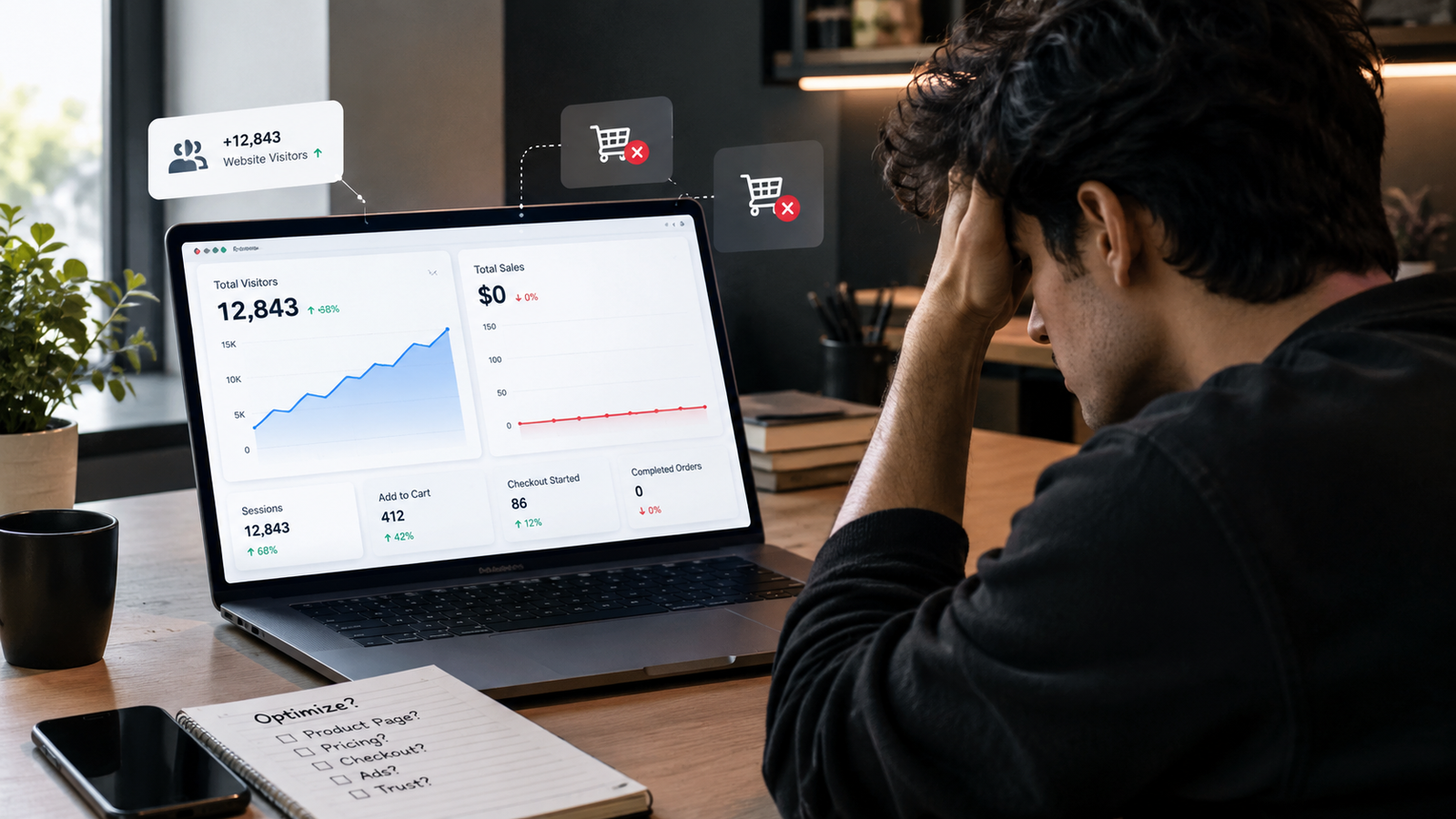
Your Shopify Analytics shows 2,000 visitors.
Your Meta Ads dashboard shows thousands of impressions.
Your Instagram is bringing clicks.
But your store is still struggling to generate sales.
Sound familiar?
If your Shopify store is not converting, getting more website visitors might not be the answer. You could be attracting the wrong audience, struggling to communicate your product's value, or losing potential customers during checkout.
Here's the important part: more traffic does not always mean more sales.
Your store needs to attract the right audience, communicate product value, establish trust, and make purchasing easy. If any part of this journey fails, potential customers may leave before completing an order.
In this guide, we'll explore 10 reasons your Shopify store gets traffic but no sales, along with practical ways to identify and fix each problem.
1. You're Attracting the Wrong Website Traffic
More visitors can look impressive in your analytics, but not every visitor intends to buy.
For example, a broad Meta Ads campaign might generate inexpensive clicks from people who find your creative interesting but have little interest in purchasing your product. Similarly, informational search traffic might bring visitors who are researching rather than shopping.
This is one reason a Shopify store not converting doesn't necessarily have a website design problem.
If Instagram is one of your acquisition channels, read our guide to Instagram marketing for e-commerce to explore how social content can help customers discover products and move toward a purchase.
Paid advertising also needs the right audience, messaging, and measurement. Our guide to the impact of paid media on brand awareness and customer acquisition explores how campaigns can support customer acquisition and retargeting.
How to Attract Higher-Intent Traffic
Review your traffic sources and compare their performance. Look at product views, add-to-cart actions, checkout starts, and purchases rather than judging campaigns by clicks alone.
Refine your advertising audience, use product-specific messaging, and make sure your landing page matches the promise made in your advertisement.
The goal isn't simply more traffic. It's more relevant traffic.
2. Your Product Page Doesn't Communicate Value
Imagine visiting an online store and finding a product title, price, a basic description, and an Add to Cart button.
Would that be enough to convince you to buy from an unfamiliar brand?
Probably not.
Your product page needs to answer the customer's most important questions: What does the product do? Why should I choose it? What makes it worth the price?
How to Improve Your Product Page
Effective Shopify product page optimization starts with clear, useful information.
Include the main product benefits, accurate specifications, high-quality images, genuine customer reviews, and clear shipping and return details. Explain what makes the product different without making exaggerated claims.
For example, if you sell a backpack, describe its storage capacity, compartments, materials, and intended use. Show how those features help customers in real situations.
Don't just describe what your product is. Explain why it matters to the buyer.
3. Your Product Images Fail to Build Confidence
Online shoppers cannot physically touch your products. They rely on images and videos to understand what they're buying.
Blurry photographs, inconsistent lighting, poor cropping, or missing product angles can create uncertainty and reduce the perceived quality of your product.
How to Strengthen Your Product Images
Use a combination of professional product photography, lifestyle images, close-ups, and short demonstration videos.
Show products in realistic settings and include size references when useful. If you sell clothing, show how it fits. If you sell home decor, show how it looks in an actual room.
Your images should help shoppers understand the product before they purchase.
4. Your Website Doesn't Look Trustworthy
Would you confidently purchase from a store with unclear refund policies, missing contact information, and suspicious discount offers?
Many customers hesitate when a store looks unfinished or provides little evidence that the business is reliable.
Trust becomes particularly important when customers are buying from a brand for the first time.
How to Build Customer Trust
Make genuine reviews easy to find. Display clear shipping timelines, accessible contact details, accurate product information, and understandable return and refund policies.
Explain payment methods and additional charges before customers reach the final payment stage.
Avoid fake reviews, misleading discounts, and countdown timers that create false urgency.
Trust isn't a decorative feature. It's part of the buying decision.
5. Your Shopify Store Loads Too Slowly
A potential customer clicks an advertisement, expects to see a product, and instead waits for the page to load.
That delay creates unnecessary friction and may cause the visitor to leave.
Large image files, excessive third-party scripts, unnecessary apps, and poorly optimized themes can contribute to slow performance.
How to Improve Store Speed
Test your important pages using Google PageSpeed Insights. Compress oversized images, remove apps you no longer use, and review scripts that might affect loading performance.
Pay particular attention to your homepage, product pages, and advertising landing pages.
A visually impressive store is useful only when customers can access it comfortably.
6. Your Mobile Shopping Experience Is Frustrating
A customer discovers your product on Instagram, clicks your advertisement, and opens your Shopify store on a smartphone.
But the text is difficult to read, the buttons are too small, and important product information is difficult to find.
The customer leaves without buying.
How to Optimize Mobile Shopping
Test the complete customer journey on a real smartphone:
Advertisement → Landing Page → Product Page → Cart → Checkout
Make sure text is readable, buttons are easy to tap, product images display correctly, and navigation is straightforward.
Don't assume your website works well on mobile simply because it looks good on a desktop screen.
If your website needs broader design or usability improvements, explore Codify Brain's web design and development services.
7. Your Pricing Doesn't Communicate Enough Value
Sometimes shoppers hesitate because a product appears expensive compared with alternatives. In other cases, they simply don't understand what justifies the price.
For example, a ₹2,999 product with minimal information might be difficult to evaluate. A product page that clearly explains its quality, useful features, and differentiation gives customers more information to consider.
How to Communicate Product Value
Explain the benefits, materials, craftsmanship, warranty, or other relevant features that make your product distinctive.
Compare your offer with alternatives honestly. Consider bundles or promotions only when they make commercial sense.
Before immediately reducing your prices, investigate whether customers understand the value they're receiving.
Customers need a reason to choose your product, not just a price to compare.
8. Your Checkout Process Creates Too Much Friction
Getting someone to add a product to their cart is progress, but it doesn't guarantee a completed purchase.
Unexpected shipping charges, confusing payment options, unnecessary form fields, or unclear delivery timelines can prevent customers from completing their orders.
This is where Shopify checkout optimization becomes important.
How to Simplify the Checkout Experience
Display shipping costs and other charges clearly. Offer suitable payment methods, reduce unnecessary steps, and make delivery information easy to understand.
Test the checkout experience on both mobile and desktop devices.
If customers regularly abandon their carts at the same stage, investigate that particular step before redesigning your entire website.
9. You're Missing Opportunities to Recover Abandoned Carts
A customer adds a product to their cart and then leaves without purchasing.
That doesn't necessarily mean they have lost interest. They might be comparing alternatives, have been interrupted, or need more time to decide.
How to Recover Abandoned Carts
Use relevant Shopify cart abandonment strategies, such as abandoned-cart emails, appropriate reminders, and retargeting campaigns.
Help customers resolve common concerns by making product information, shipping details, and return policies easy to access.
Where appropriate, use follow-up messages to remind shoppers about products they considered purchasing. Respect marketing consent requirements and avoid sending excessive reminders.
Measure the purchases generated by these activities rather than assuming every recovered cart represents additional revenue.
10. You're Tracking Traffic Instead of Conversions
This is one of the most important areas to investigate when your Shopify store is not converting.
Businesses often celebrate impressions, clicks, followers, and website visitors. These metrics can be useful, but they don't automatically indicate successful sales performance.
Consider this illustrative funnel:
-
1,000 website visitors
-
100 product-page interactions
-
40 add-to-cart actions
-
15 checkout starts
-
5 completed purchases
These numbers are examples, not industry benchmarks. They demonstrate how potential customers can drop out at different stages of the shopping journey.
How to Track Conversion Drop-Offs
Use Shopify Analytics and properly configured analytics tools to investigate where visitors leave.
If visitors rarely reach your product pages, examine your landing pages and navigation. If product-page views are high but add-to-cart actions are low, investigate your product information, pricing, and value proposition.
If shoppers start checkout but don't complete their purchases, review additional charges, payment options, and checkout usability.
This is the foundation of Shopify conversion rate optimization: identifying the biggest problem, making a targeted improvement, and measuring the outcome.
To understand which engagement numbers actually matter, read our guide to which social media metrics actually matter. It explains why clicks, engagement, and other visible numbers need to be evaluated against meaningful business outcomes.
Don't guess where the problem is. Use customer behaviour and reliable data to guide your decisions.
How to Fix a Shopify Store That Isn't Converting
Before increasing your advertising budget, audit your existing customer journey.
Focus on five areas:
Traffic: Are your campaigns attracting people who are likely to buy?
Product: Does your product page clearly explain its benefits and value?
Trust: Can customers easily find reviews, contact information, and transparent policies?
Experience: Is your store fast, mobile-friendly, and easy to navigate?
Checkout: Can customers complete purchases without unexpected costs or unnecessary complications?
Prioritise the problems you can verify with data. Make one meaningful change at a time and compare the results with your previous performance.
This approach to Shopify conversion optimization is more useful than blindly spending additional money to attract visitors to a shopping journey that may already be losing potential customers.
Final Thoughts
A Shopify store can receive thousands of visitors and still struggle to generate sales. More advertising isn't automatically the answer.
The underlying issue may be audience quality, product presentation, trust, website speed, pricing, or checkout friction.
If your Shopify store is not converting, investigate the entire customer journey before assuming you need more traffic.
Remember:
Attract the right audience. Communicate your value. Build trust. Remove friction. Measure the results.
Find the biggest bottleneck, improve it, and track what changes. Once your store turns visitors into customers more effectively, you can make better-informed decisions about scaling your marketing.
Because successful e-commerce isn't just about getting people to visit your store.
It's about giving the right people enough reasons to buy.
- Digital marketing
- Shopify, E-commerce, Shopify Marketing, Conversion Rate Optimization, CRO, Cart Abandonment